“When someone tells me WordPress is only for websites, I show them my CI/CD”
WordPress as CI/CD: yes, I’m serious
Late 2014, winter. I joined a volunteer project as a WordPress developer — and that’s where I first came across Beanstalk. Push to the repo — files land on the server. No FTP, no manual copying. To me, back then, it was magic.
From that moment on, Beanstalk was part of my workflow. Over ten years without a single complaint. It just worked.
But as the number of projects grew — client sites, my own products, pet projects — I started doing the math. Yet another monthly subscription to an external service, all for one simple operation: moving files from the repository to the hosting. It’s like keeping a full-time courier on staff to carry one box across the street every day.
That made me look at WordPress differently. Essentially, everything you need to build your own Beanstalk is already in WordPress.
Why “proper” CI/CD tools don’t work here
The first thing any DevOps engineer will tell you: “GitHub Actions + Docker + rsync.” A beautiful setup. On paper.
Now for reality: shared hosting. Hosting Ukraine. There’s no Docker here. No way to install packages. No systemd for services. SSH exists, but it’s limited — no root. GitHub Actions can build the project, but how do you get the files onto the server without proper rsync or SCP?
Jenkins? A separate server you have to rent, configure, and maintain. Deployer? Requires SSH with keys and a full CLI environment. All of it means extra infrastructure and extra costs for a single task.
I could have rented a VPS just for CI/CD. But that’s like renting a garage to store one wrench.
WordPress: not a CMS but an application framework
This idea didn’t ripen in a day. But when you’ve been working with WordPress for over 18 years, you stop seeing it as a CMS for websites and start seeing a platform with a full toolkit:
- Custom Post Types — data structures for anything
- ACF PRO — building interfaces without hand-writing HTML forms
- REST API — integration with any external service
- WP-Cron — scheduled and recurring tasks
- Admin panel — a ready-made UI with authentication, search, and filtering
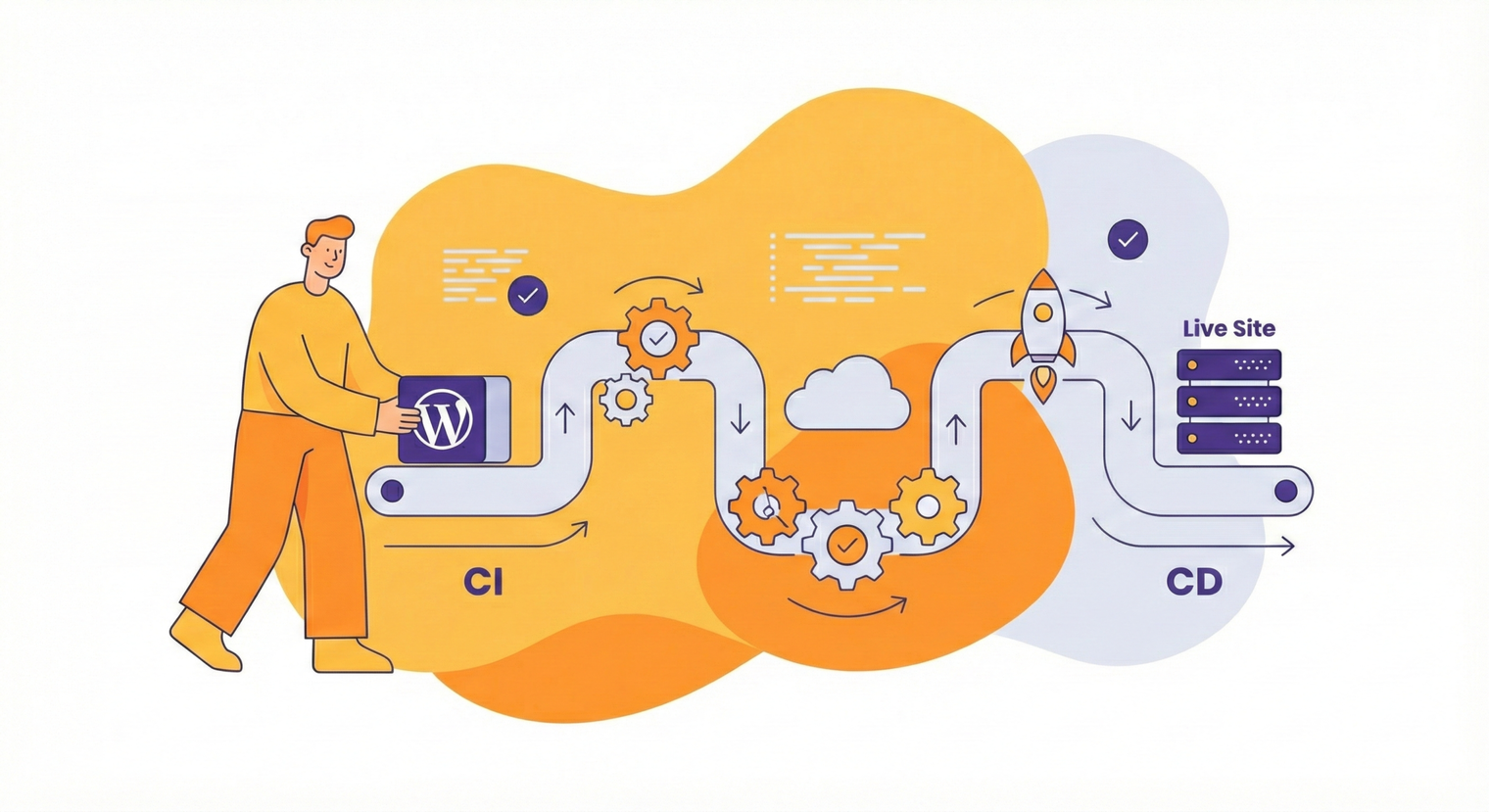
The idea itself was simple: every deployment is a post in WordPress. A Custom Post Type with fields for the source (repository + branch) and the destination (a site on the hosting). Create a post — the system registers a webhook on GitHub by itself. Push — files land on the server. Delete the post — the webhook disappears. Zero manual work.
The system talks to GitHub and Hosting Ukraine over their APIs — repositories, branches, and sites are pulled in automatically.
What’s under the hood
The stack is minimal, but every piece earns its place:
- WordPress — the system core, data storage, UI
- ACF PRO + Timber/Twig — custom fields and admin panel templates
- GitHub API — webhook management, lists of repositories and branches
- Hosting Ukraine API (adm.tools) — the list of sites with their directory paths
- Telegram Bot API — deployment status notifications
Two custom ACF fields that carry the UX
The most interesting part is the two field types written from scratch for ACF.
GitHub Repository — a cascading dropdown. The first list pulls the authenticated user’s repositories through the GitHub API with 15-minute caching. Pick a repository, and the second list loads its branches via AJAX with a 10-minute cache. No manual input, no typos in names.
Hosting Ukraine Sites — the same logic for the hosting side. Domain → subdomain. Each option automatically stores the path to the site’s home directory on the server. All through the adm.tools API.
Creating a deployment means simply picking from lists. Like a building kit: source → destination. Two dropdowns on the left, two on the right. Done.
One push — code on the server
When a post is saved, the system generates a unique token — an ID encrypted with AES-256-CBC — and builds the webhook URL. That URL is registered on GitHub automatically. Delete the post, and the webhook is removed. Everything is hands-free.
When GitHub sends a push event, a chain kicks off:
- Decrypt the token, look up the configuration
- Telegram message: “Deployment started”
- Download the repository’s ZIP archive from GitHub (authenticated with a Personal Access Token)
- Unpack it, clear the target directory, move the files into place
- Delete the leftovers:
.md,.gitignore,prepros.config - Telegram message: “Done” or “Error”
For webhook deployments, the process runs asynchronously — a PHP script in the background via the CLI. GitHub gets its response immediately and doesn’t wait for completion. Manual deployments, triggered by a button in the admin, run synchronously with the result right in the browser.
Push from your phone, get a Telegram message a minute later — the code is already on the server. That’s the level of automation this was all built for.
Bonuses I didn’t plan for
Once you have working infrastructure with a UI and a list of all your sites, the next ideas suggest themselves.
HTTP Authentication manager
The second Custom Post Type is “Authentication.” Pick a site from the list, enter a username and password — the system generates an .htpasswd file and adds the matching block to .htaccess. Delete the post, and the protection is lifted automatically.
Password-protecting staging and opening it up for a client takes two clicks instead of an SSH session. There’s even an API endpoint for fetching the credentials — I use it in my own Chrome extension to open password-protected sites in one click. But that’s a story for another day — a big and genuinely fascinating topic of its own.
An honest look at the limitations
The system isn’t perfect. I know that, and I’m not pretending it’s an enterprise solution.
- No rollback — if a deployment breaks something, you either push a fix or restore from the host’s backup. Keeping the previous version before clearing the directory is on the roadmap, but in six months of operation the need hasn’t come up once
- ZIP instead of git clone — every deployment downloads the full repository archive. For WordPress themes and plugins (a few megabytes) that’s a non-issue, but for a large monorepo it would be inefficient
- WordPress as a single point of failure — if WordPress on this server goes down, deployments go down with it. Hasn’t happened in six months, but the risk is real
- One hosting provider — the integration is built around the Hosting Ukraine API. A different provider would require adapting it
This is a tool built for the specific conditions of one specific developer. Under those conditions — thirty-plus projects on shared hosting — it works flawlessly.
The bottom line
More than thirty deployment configurations, client projects and pet projects alike — all running through a single WordPress install. Not one failure in six months. Not one unnecessary subscription.
The main takeaway: the best solution isn’t the one they recommend at conferences. It’s the one built for your actual needs, on tools you know inside out.
If you run a business and feel like your infrastructure is held together with duct tape and manual labor — get in touch. I build things that work. Tailored to your workflows, your stack, and your business needs.